Advanced Government Exam Photo & Signature Resizer

Advanced Government Exam Photo & Signature Resizer

Professional tool for photo and signature resizing with smart compression for all government exams

Exam Photo & Signature Resizing Tool

Upload Photo or Signature

Drag & Drop your file here

or click to browse files

Supported formats: JPG, PNG, GIF, BMP, WebP

Image to crop
Image Transformation
°
Dimensions & Settings
Height and width effects file size.
Dimensions (Pixels)
Dimensions (Centimeters)
300 DPI
72 600 DPI
Screen Print Quality High Quality
PDF will be generated with the image embedded
50 KB
10 500 KB
Tool will automatically adjust quality to stay below this limit
Target: 50 KB | Current: -- KB
Exam Presets (2026)

Select an exam to auto-fill the required photo specifications

UPSC
3.5x4.5 cm
SSC
350x450 px
Bank PO
200x230 px
Railway
3x4 cm
Defense
3.5x4.5 cm
Custom
Set your own
10% 100% %
Low Quality High Quality
Output Preview

Upload an image to see preview

Preview
Dimensions: 350x450 px
File Size: -- KB
Format: JPG
Quality: 90%
Process and Download

Advanced Government Exam Photo & Signature Resizer Tool © 2026 | Designed for precise exam specifications

Resize Photo and Signature Online for Government Exams (Free & Instant)

Welcome to PhotoFix – a simple and fast online tool to resize photo and signature for government exams and other official uses. If your exam form requires a specific image size like 20KB, 50KB, or 100KB, you can easily adjust it here within seconds.

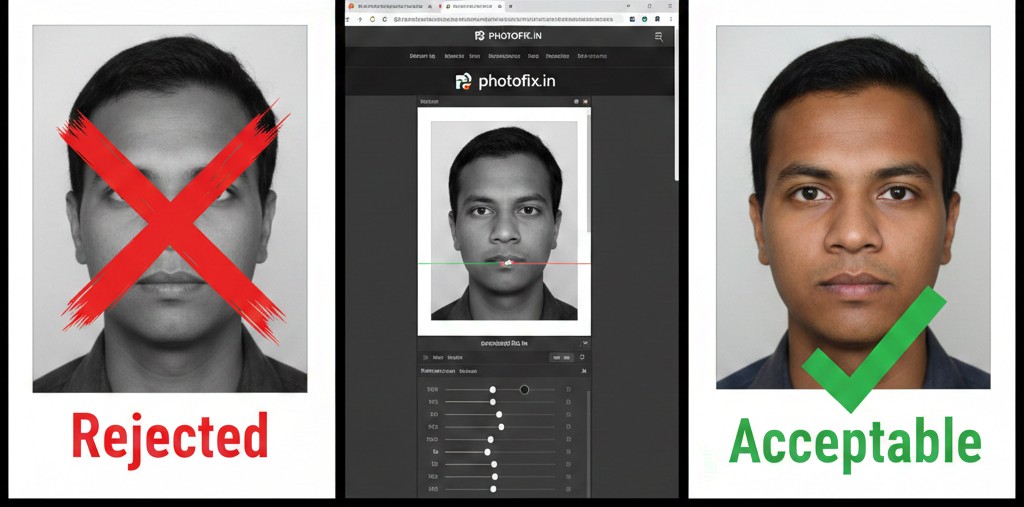
Many candidates face rejection because their uploaded photo or signature does not match the required file size or dimensions. Our tool helps you convert and resize images accurately without reducing clarity.

Why Use Our Photo Resize Tool?

✔ Resize photo to exact KB size
✔ Convert image to 20KB, 50KB, 100KB instantly
✔ Resize signature for online forms
✔ Maintain image quality
✔ No registration required
✔ Free and secure

Whether you are applying for exams conducted by
Staff Selection Commission,
Railway Recruitment Board,
Institute of Banking Personnel Selection, or other recruitment boards, correct image upload is mandatory.

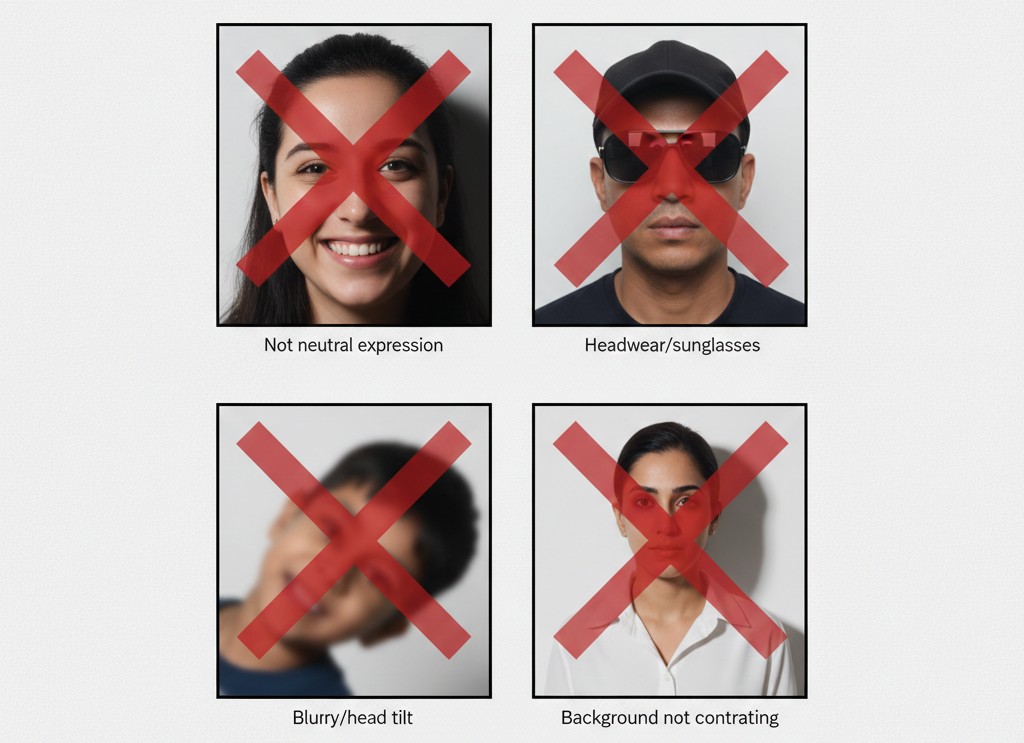
Common Photo & Signature Requirements

Most government exams require:

Photograph
  • JPG/JPEG format
  • 20KB – 100KB file size
  • Clear front-facing image
  • White or light background

Signature
  • Black ink on white paper
  • JPG/JPEG format
  • 10KB – 50KB file size
  • Properly cropped
Always check your official notification before uploading.

How to Resize Your Image in 3 Simple Steps

  1. Upload your photo or signature
  2. Enter required file size or dimensions
  3. Click resize and download instantly
The process takes less than 30 seconds and works smoothly on both mobile and desktop.

Convert Image to 20KB, 50KB or 100KB Without Losing Quality

If your form shows error like “File size too large” or “Invalid image size”, simply upload your image here and reduce it to the required size. Our compression system keeps your image clear while reducing file size efficiently.

Who Can Use This Tool?

  • Government exam aspirants
  • Job applicants
  • Students filling admission forms
  • Anyone needing image resizing for official documents
PhotoFix is designed to make the application process easier and prevent unnecessary rejection due to image errors.

Start Resizing Now